

Swiftech MCW20-A on Intel Desktop Dothan
Introduction
Swiftech has been one of the most respected names for years. They have expanded from offering only blocks to complete setups. Today, we are concentrating on one piece of that system: the Northbridge cooler. In most cases, the Northbridge cooler would be an optional component. Instead of sitting on an i875, nForce3, or some other chipset, we’re going to place it on top of an Intel Pentium M processor. If this block can handle the output from a full processor, imagine the cooling it would achieve for your motherboard chipset.
Swiftech MCW20-A
Swiftech MCW20-A:
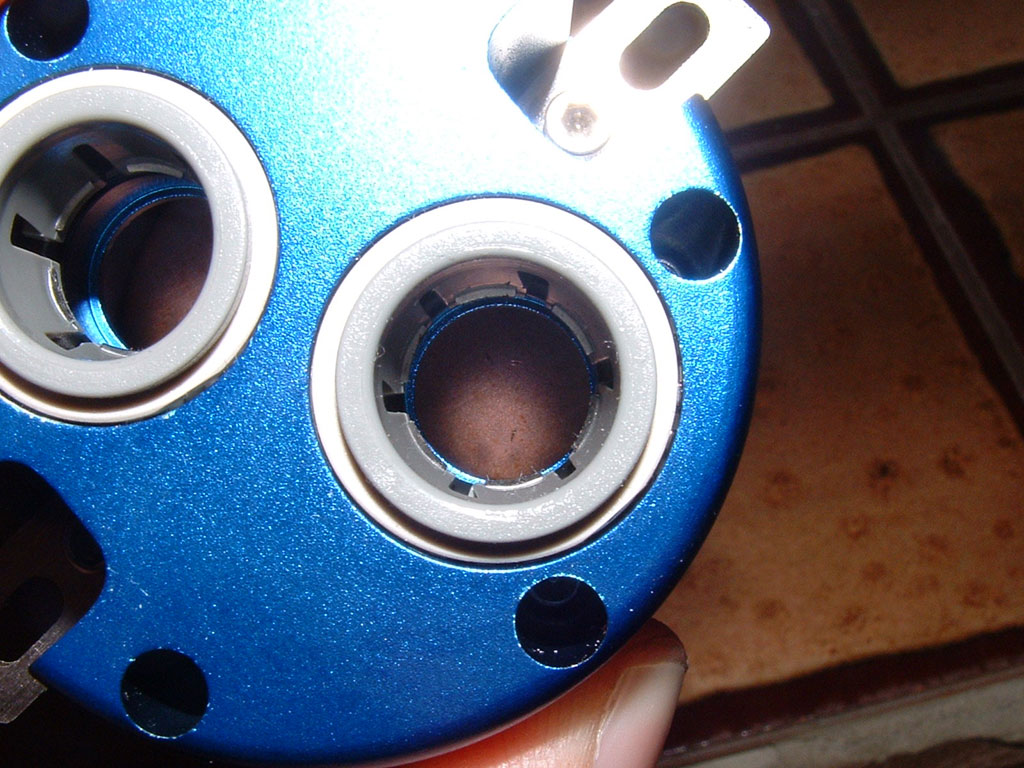
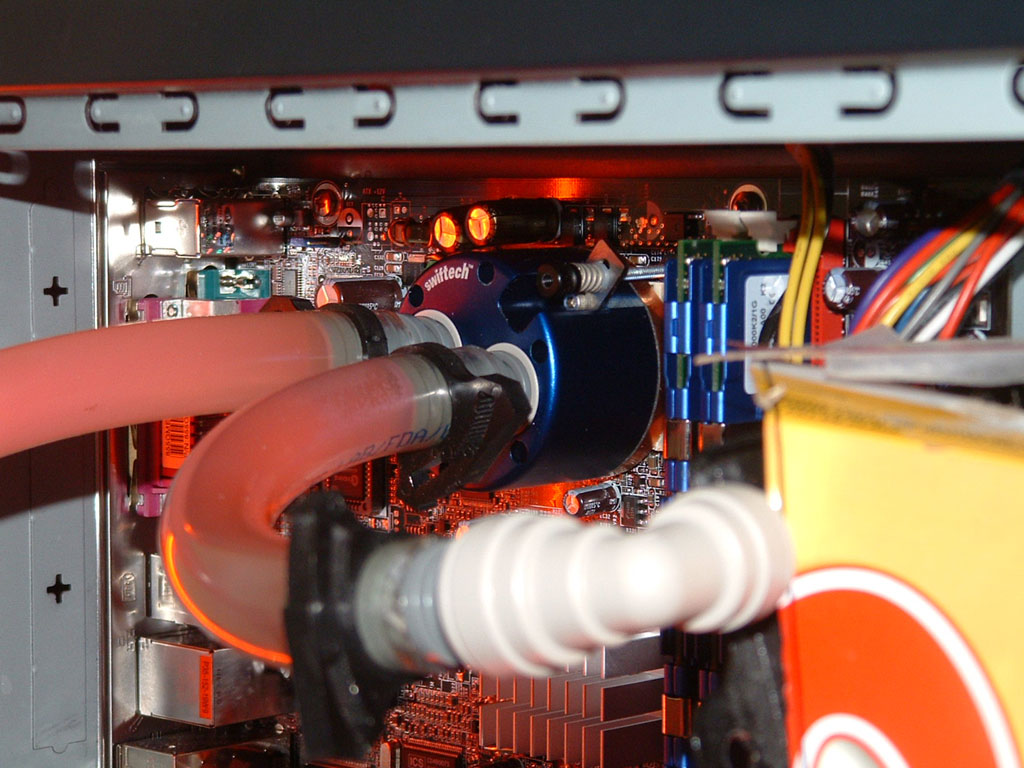
The block itself is typical of Swiftech products over the past few years, consisting of a blue anodized block with a perfectly machined copper base. The block comes barb-less, which means it works with the 1/2” OD hose. While some people are big fans of the connection fittings, I prefer barbs myself. I also have 1/2” ID hose, meaning I’d have to re-plumb my entire system to accommodate this block. Instead, the solution was to add in 1/2” stem to 1/2” ID adapters, which makes the block capable of mating with my current hose. I don’t think that there’s any advantage to it performance-wise, the opening into the actual block isn’t any bigger.
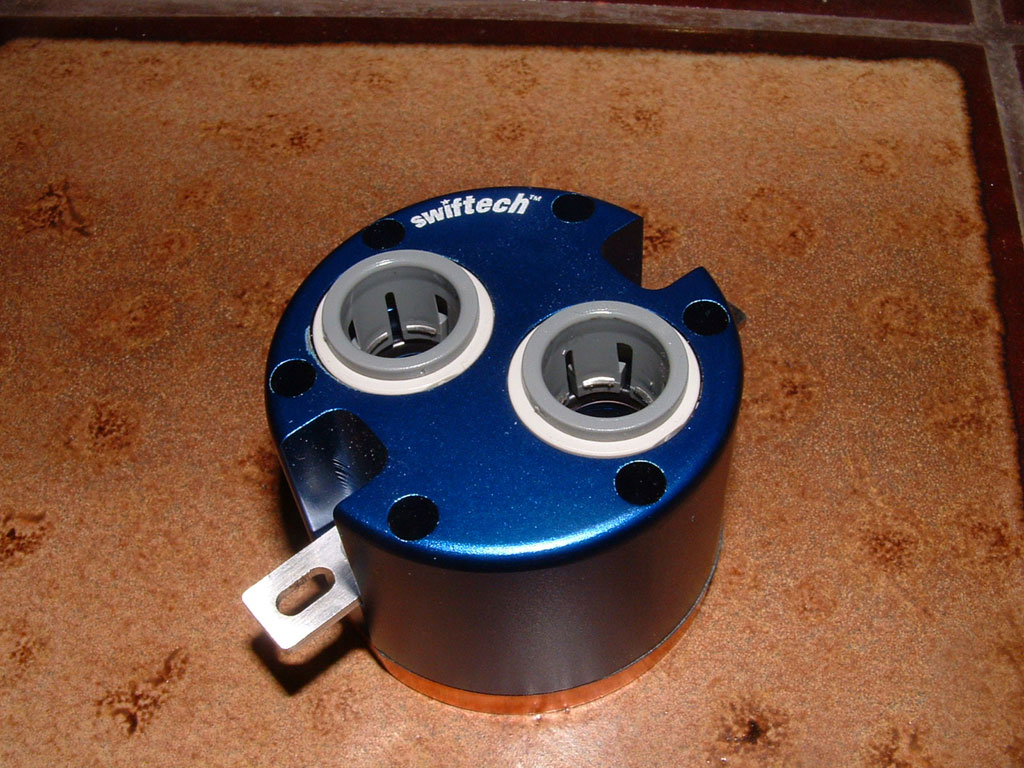
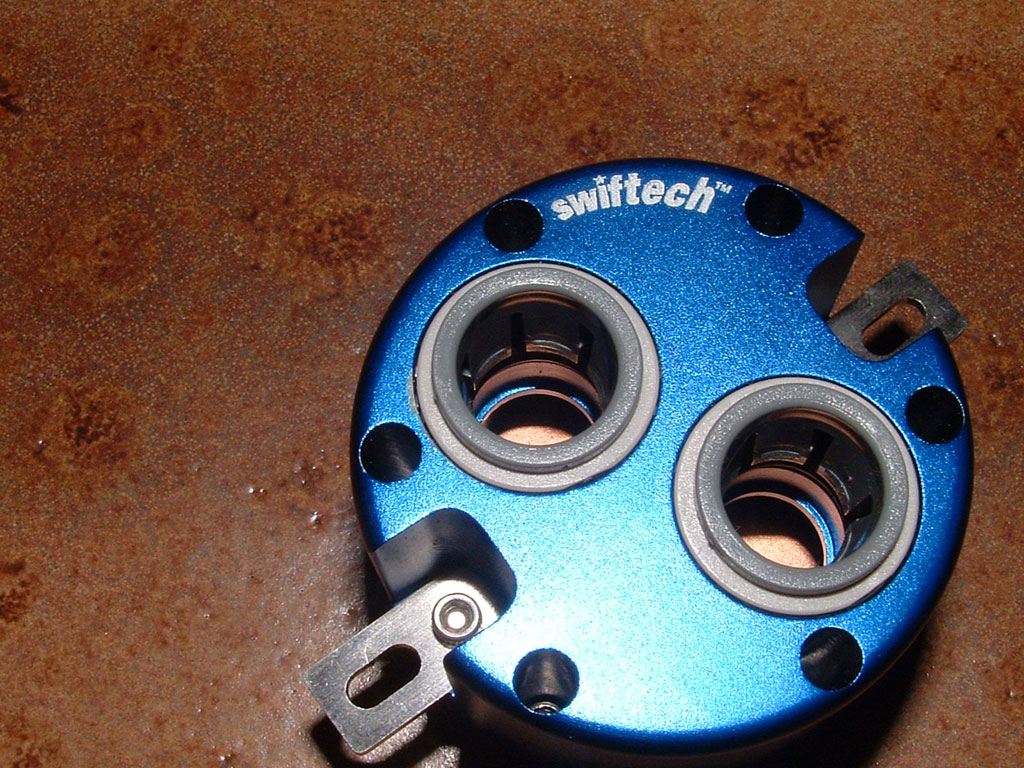
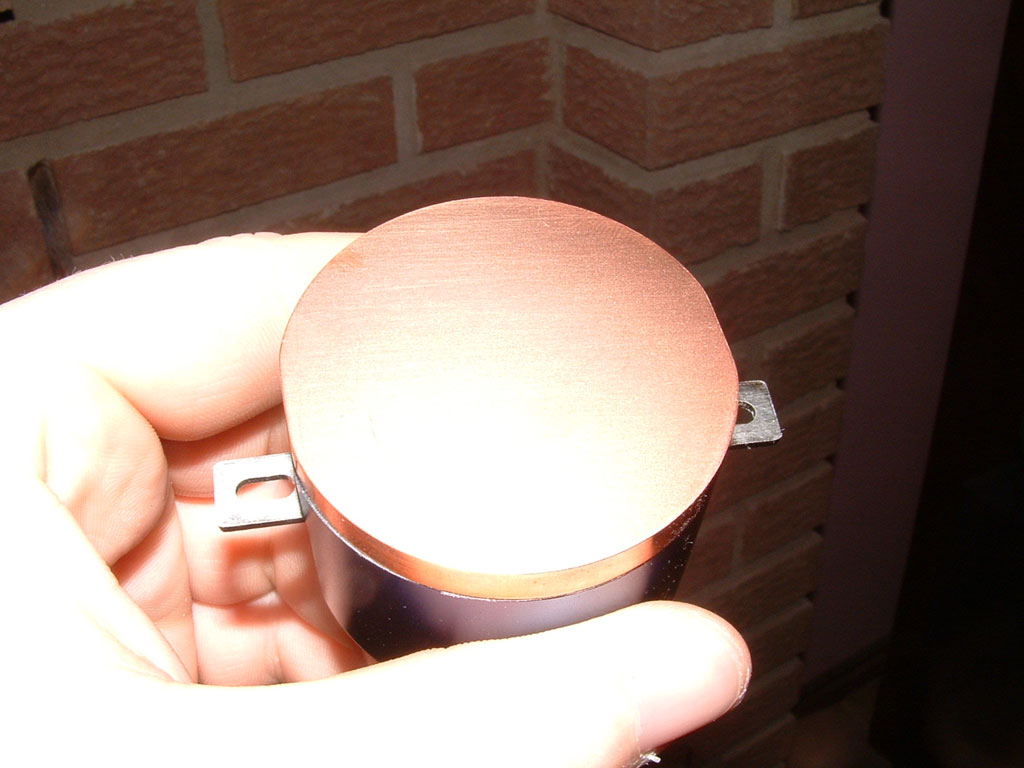
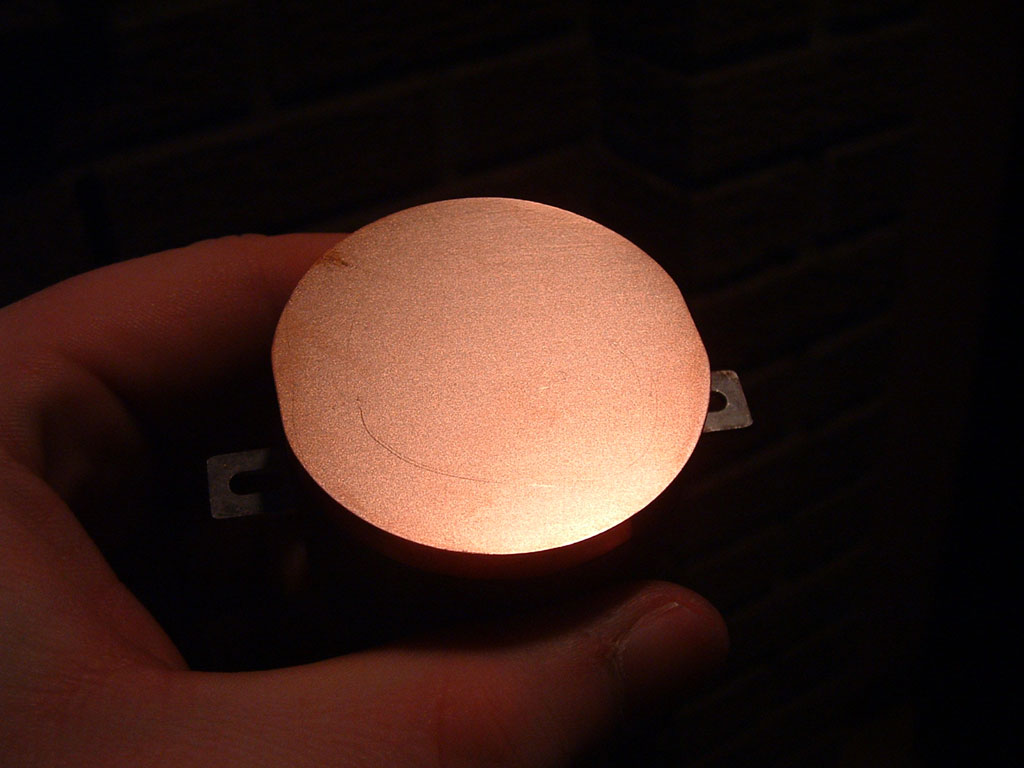
The MCW20-A is held onto the board with two bolts and spring tensioned nuts. On the Intel style gear, the bolts are hooked to grab onto the loops provided on every chipset type since the 845, with a few exceptions like the Abit AA8 series. While I’ve never been a fan of this type of mounting, it’s also what’s used on the DFI 855GME board for the Northbridge. For the CPU, however, Swiftech uses the AMD specification for Northbridge mounts, with a hole at each corner 41mm apart. If you wanted to stick to air cooling you could simply lock on a MCX159-A, but what fun is that?
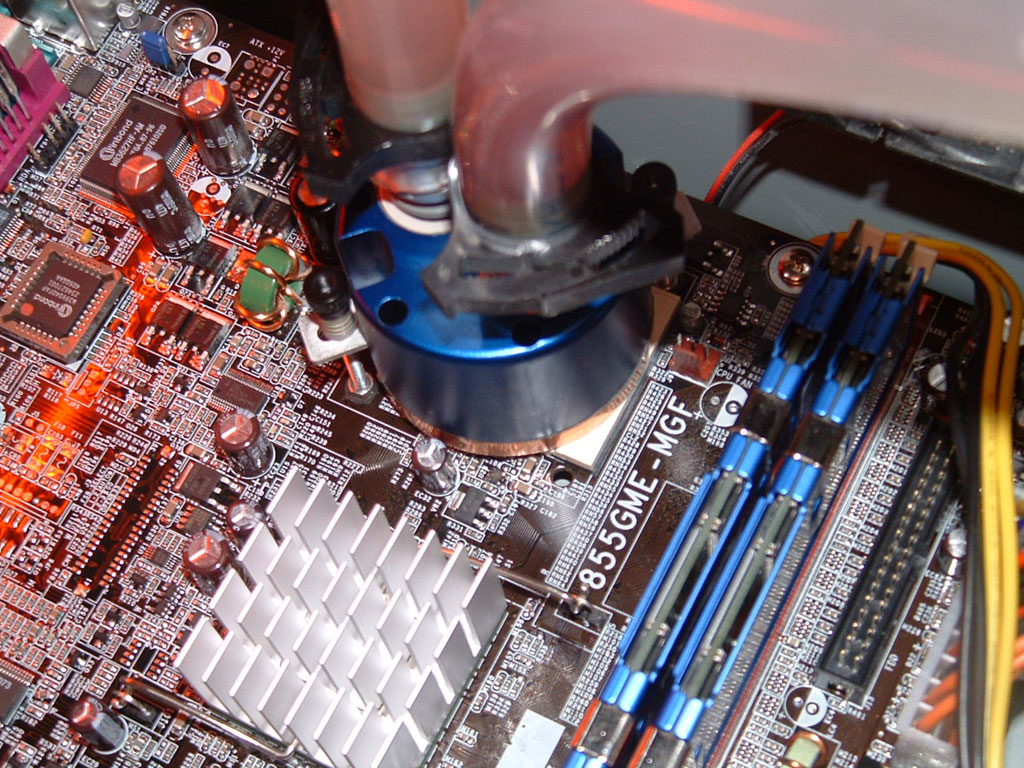
The redeeming feature of using Intel mounts is the ability to install the block without removing the board from the case. For this implementation, we do have to pull it to have all the hoses attached to the block prior to mounting. I did a few different methods of putting the block on, the best way was to have the whole board out of the case, to make tightening the nuts easier and ensure proper balance. Attempting to put the nuts on without removing the motherboard is not advised, due to the small size of the Pentium M core. New Northbridges are in the same “flip chip” package (Intel and Nvidia) and would be create the same difficultly in mounting. The nuts (knobs) were difficult to tighten with my big hands. At least they did have grooves to provide texture and traction, but a hole for an Allen key wrench is preferable. With two mount points, there isn’t as much complication as with four. Yet with hoses installed and bends exerting pressure on the block, I can’t say how secure it would be transporting it around. I don’t intend to find out, as this system isn’t going anywhere.
Test Setup and Results
Test Setup and Method:
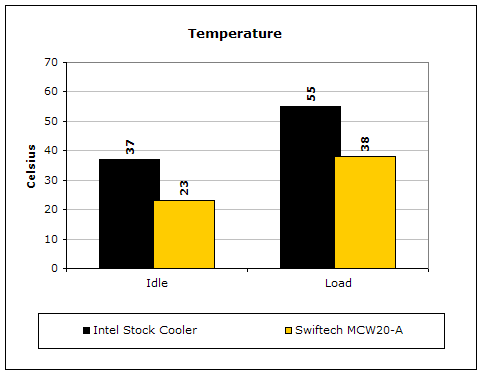
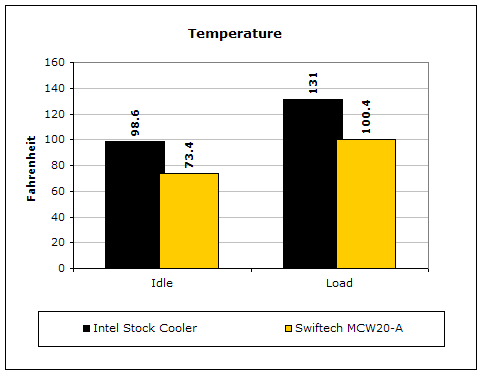
For testing, a temperature probe was placed adjacent to the die (no heatspreader). CPU Burn was used to place a load on the system. Equilibrium was reached over 45 minutes, while the room temperature was kept at a constant 22°C.
A system using the MCW20-A, an MCP650 pump, and a dual 120mm transmission cooler for a radiator was used for testing. This is pretty much overkill for such a small CPU heat output, so the rest of the components certainly won’t be limiting factors in the performance of the block. At idle, the processor operated at 23°C while the CPU was at 2.55GHZ (150x17) and 1.66v, overclocked from 1.7GHZ and 1.34v.
Under load, the temperature moved up to 38°C after settling for 45 minutes. I prefer to show actual gains in terms of overclocking, because that’s what we’re all after. With the aircooling that came with the chip, the best overclock at stock voltage was 2.26GHZ. With a voltage mod, it increased another 110MHZ, or 2.35GHZ. At that point, the CPU was running well over 50°C under load, limiting the overclock. As you might guess, watercooling provided significantly better results. With the MCW20-A on the core, heat is no longer the limiting factor for the overclock. If there wasn’t concern over the amount of voltage a 90nm Pentium M could handle, voltage would probably be boosted up to 1.71v (max allowable by the pin trick).
Testing will be conducted at the following speeds and voltages:
- Intel stock cooler: 17 x 138FSB @ 1.4v
- MCW20-A: 17 x 150FSB @ 1.66v
Conclusion and Thoughts
What do we have to say about using the MCW20? Well, it’s certainly overkill for your Northbridge, which some people might like. In fact, it’s even capable of handling a mobile processor with an output far greater than you’d ever see out of a Northbridge.
John’s Addition:
Swiftech’s watercooling gear is certainly top notch and the MCW20-A is an example of why Swiftech is a top choice for watercooling enthusiasts. The chipset waterblock is only designed to be able to handle the low amount of heat generated by motherboard chipsets, but D’Arcy has proven that it can very well handle the latest Dothan desktop processors. Thanks to Intel’s motherboard retention architecture, a small waterblock can sit on top of the Pentium M to allow a higher overclock of the CPU. Personally, I find D’Arcy’s complaints on installation very minor. Although the MCW20-A installs through two mounting holes, you have to keep in mind that it was designed that way. Motherboard chipsets don’t have four holes to begin with. The weight of the block alone is not very heavy, making it safe for transportation if you secure the block well. I do have to agree that the small accessories are rather difficult to work with. It would be easier to use a wrench instead of using fingers. Yet, Swiftech is always innovating to ease your life. Perhaps using fingers is the friendliest way? If you’re one of the few who are curious about the power behind the Pentium M, the Swiftech MCW20-A is your perfect cooling solution.
Pros:
- Available for both Intel and AMD platforms for Northbridges, and will also secure to the DFI 855GME
- Performance beyond what’s necessary
- Won’t break the bank (same cost as aircooled heatsinks)
Cons:
- Only two mounting holes, instead of four
- Small mount equipment is difficult to adjust

We would like to thank Sidewinder for providing us the sample. If you have any questions or comments, feel free to hit us up in the forums. You can also check out more of our latest reviews on the front page.